
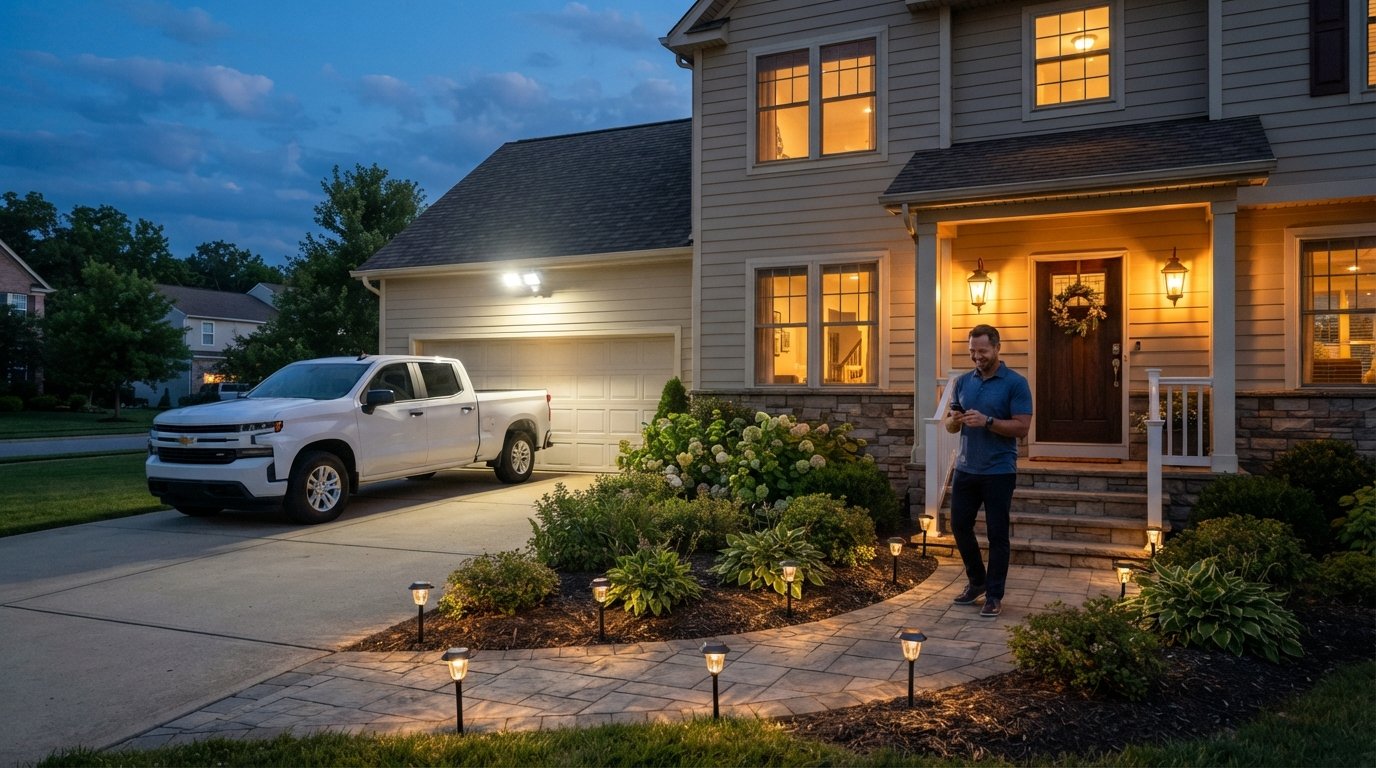
Choosing the Right Type of Home Security Lighting
Choosing the right type of home security lighting boosts safety and cuts energy costs. Call (833)-211-1668 for expert guidance on fixtures and installation.

By Ethan Turner
Learn more about Home Security and Alarms Install for guides, costs, and what to expect.
Compare Home Security and Alarms Install Pros Near You

Enter your ZIP code to compare top-rated local professionals and request free quotes.
Your home's exterior lighting does more than illuminate a walkway. It deters intruders, helps you navigate safely after dark, and can even lower your insurance premiums. But walk down the lighting aisle at any hardware store and you will face a dizzying array of choices: motion-activated floodlights, dusk-to-dawn fixtures, smart bulbs that sync with your phone, solar-powered path lights, and hardwired systems that require a licensed electrician. Choosing the right type of home security lighting comes down to understanding how each option works, what it costs to run, and how it fits your property's layout and wiring. This guide breaks down the major categories, compares energy use and lifespan, and explains when to call a pro.
Why the Right Security Lighting Matters More Than Ever
According to the FBI, property crimes remain a persistent concern for homeowners, and well-placed exterior lighting is one of the most affordable deterrents available. A 2023 study by the University of North Carolina at Charlotte found that homes with visible security lighting were significantly less likely to be targeted by burglars. Beyond deterrence, proper lighting reduces slip-and-fall risks on steps and driveways, makes it easier for delivery drivers to find your address, and extends the usable hours of your outdoor spaces.
But not all lighting is created equal. A single 150-watt floodlight left on all night can add roughly $20 to $30 per year to your electric bill, depending on local rates. Multiply that by several fixtures and the cost climbs quickly. Meanwhile, a poorly aimed light can create glare that blinds neighbors, violates local dark-sky ordinances, or actually helps intruders by casting deep shadows where they can hide. The goal is strategic illumination: light the entry points, dark areas, and approach paths without over-lighting the entire yard.
Energy efficiency has also become a bigger factor. Modern LED security lights use up to 75 percent less energy than incandescent bulbs and last 15 to 25 times longer. That means a fixture you install today could still be running on the same bulb a decade from now. Pairing LEDs with smart controls or motion sensors further cuts waste by ensuring lights only run when needed. For homeowners planning broader renovations, our Home Renovation Budget Planner: A Practical Guide for Homeowners offers a practical framework for factoring these upgrades into your overall project budget.
Motion-Activated Lighting: The Classic Deterrent
Motion sensors remain the most popular choice for security lighting because they combine deterrence with energy savings. The fixture stays off until someone walks within its detection zone, then triggers a bright flood of light that startles intruders and alerts you to activity. Most motion sensors use passive infrared (PIR) technology, which detects body heat moving across the field of view. Better models add dual-technology sensors that combine PIR with microwave detection to reduce false triggers from swaying trees or passing cars.
When shopping for motion lights, pay attention to three specifications: detection range, detection angle, and duration. A typical floodlight covers 70 to 150 degrees and detects motion up to 70 feet away. Adjustable settings let you control how long the light stays on (usually 1 to 20 minutes) and how sensitive the sensor is. For driveways and large yards, consider a model with a wider detection angle or install two units aimed in different directions.
Installation is straightforward if you already have a junction box where the old fixture was mounted. Most motion lights are hardwired and controlled by a wall switch, though some plug-in models exist for covered porches. If you lack an existing outdoor outlet or box, you will need an electrician to run new wiring. Expect to pay $150 to $400 per fixture for professional installation, depending on complexity and local labor rates.
Pros and Cons of Motion Lighting
- Pros: Energy efficient (only on when needed), startling to intruders, adjustable sensitivity and duration, relatively low upfront cost ($30 to $100 per fixture).
- Cons: Can be triggered by pets or wildlife, may not illuminate continuously for long events, requires wiring or reliable batteries, false alarms can annoy neighbors.
To minimize false triggers, aim sensors away from heat sources like dryer vents, air conditioners, and reflective surfaces. Mount fixtures at least 8 to 10 feet high and angle them slightly downward. If your property has heavy deer or raccoon traffic, look for sensors with pet-immune settings or adjustable sensitivity zones.
Dusk-to-Dawn Lighting: Continuous Coverage
Dusk-to-dawn fixtures use a photocell sensor to turn on automatically at sunset and off at sunrise. They provide consistent illumination all night, which is ideal for entryways, garages, and areas where you want steady visibility rather than intermittent bursts. Because they run continuously, they typically use lower-wattage bulbs or LEDs to keep energy costs reasonable. A 15-watt LED dusk-to-dawn fixture costs roughly $2 to $4 per year to operate, compared to $30 or more for an equivalent incandescent model.
These lights work well in combination with motion sensors. For example, you might install a dusk-to-dawn porch light for ambient illumination and a motion-activated floodlight above the garage for targeted deterrence. Some advanced fixtures combine both functions: they stay at 30 percent brightness all night, then jump to full brightness when motion is detected. This hybrid approach saves energy while maintaining security.
Dusk-to-dawn lights are available in hardwired, plug-in, and solar models. Hardwired versions are the most reliable but require an electrician if no wiring exists. Solar models eliminate wiring but depend on adequate sunlight and battery capacity, which can be unreliable in cloudy climates or shaded locations. Battery-powered dusk-to-dawn lights exist but typically need frequent battery changes, making them less practical for continuous operation.
Smart Lighting: Control and Customization
Smart security lights connect to your home Wi-Fi network and let you control brightness, color, schedules, and motion sensitivity from a smartphone app. Many integrate with voice assistants like Amazon Alexa and Google Assistant, and some work with broader smart home hubs such as SmartThings or Apple HomeKit. Popular options include Ring floodlight cameras, Philips Hue outdoor fixtures, and Kuna (now part of Ring) porch lights.
The appeal of smart lighting is flexibility. You can schedule lights to turn on at sunset and off at bedtime, receive push notifications when motion is detected, or trigger lights to flash red when your alarm system activates. Some models include built-in cameras, two-way audio, and sirens, turning a simple light fixture into a full security device. However, these features come at a higher upfront cost: expect to pay $100 to $300 per fixture, plus the cost of installation if you are not comfortable working with electrical wiring.
Smart lights also depend on a stable Wi-Fi signal. If your router does not reach the far corners of your yard, you may need a mesh Wi-Fi system or a smart home hub with better range. Additionally, some smart lights require a neutral wire in the switch box, which older homes may lack. Before buying, check your wiring or consult an electrician to confirm compatibility.
Key Features to Compare in Smart Security Lights
- Motion detection: Look for adjustable sensitivity, pet immunity, and customizable detection zones.
- Camera resolution: 1080p is standard; 2K or 4K offers clearer detail for identifying faces or license plates.
- Night vision: Infrared or color night vision improves usability after dark.
- Storage: Local microSD, cloud subscription, or both. Cloud plans typically cost $3 to $10 per month per camera.
- Power source: Hardwired, battery, or solar. Hardwired is most reliable; battery and solar offer placement flexibility.
When evaluating smart lights, think about your long-term costs. A $200 fixture with a $5 monthly cloud subscription adds up to $260 over the first year. If you prefer no ongoing fees, choose a model with local storage or one that works with a free cloud tier. Also consider whether the manufacturer has a track record of software updates and security patches, as smart devices can become vulnerable if abandoned.
Energy Costs and Bulb Lifespan by Fixture Type
Understanding energy consumption helps you choose lighting that fits your budget and environmental goals. The table below compares common bulb types used in security fixtures. Note that LED is now the standard for new fixtures, but you may still encounter halogen or incandescent options when replacing bulbs in older units.
- Incandescent: 60 to 150 watts, 1,000 to 2,000 hours lifespan, high energy use, being phased out.
- Halogen: 40 to 100 watts, 2,000 to 4,000 hours, slightly more efficient than incandescent but still high heat output.
- CFL: 13 to 30 watts, 8,000 to 10,000 hours, moderate efficiency, contains small amounts of mercury.
- LED: 5 to 20 watts, 25,000 to 50,000 hours, highest efficiency, lowest long-term cost.
To calculate annual energy cost, multiply the fixture's wattage by the hours used per day, divide by 1,000 to get kilowatt-hours, then multiply by your electricity rate. For example, a 15-watt LED running 12 hours per night at $0.12 per kWh costs about $0.79 per year. A 150-watt incandescent running the same schedule costs $7.88 per year. Across five fixtures, the difference is nearly $36 annually, plus the cost of replacing burned-out bulbs.
Lifespan matters too. An LED bulb rated for 25,000 hours will last about 5.7 years if run 12 hours per night. An incandescent bulb rated for 1,500 hours will last less than four months under the same schedule. When you factor in the hassle and cost of replacements, LED is the clear winner for any security application.
Wiring, Solar, and Battery: Installation Considerations
The installation method you choose affects upfront cost, reliability, and flexibility. Here is how the three main power sources compare.
Hardwired systems are the most reliable because they draw power continuously from your home's electrical system. They are not affected by cloudy weather or dead batteries. However, they require an existing junction box or new wiring run, which means hiring a licensed electrician if you are not experienced with electrical work. Hardwired fixtures also tend to be more powerful and can support brighter bulbs or integrated cameras without worrying about battery drain.
Solar-powered lights are easy to install because they require no wiring. You simply mount them where they receive direct sunlight. The trade-off is performance: solar lights are typically dimmer than hardwired models, and their batteries may not fully charge on cloudy days or in shaded areas. They work best for path lighting, garden accents, and low-intensity security coverage. For primary security lighting, solar is often a supplement rather than a replacement for hardwired fixtures.
Battery-powered lights offer placement flexibility similar to solar but rely on disposable or rechargeable batteries. They are convenient for renters or temporary setups, but you will need to replace or recharge batteries every few months, which adds ongoing cost and maintenance. Some battery models use D-cell batteries that last up to a year, while others use rechargeable lithium-ion packs that last a few weeks per charge.
If you need new wiring for hardwired fixtures, expect to pay $200 to $800 or more depending on the distance from your electrical panel, the complexity of the run, and local labor rates. This is a good time to consult a licensed electrician who can also advise on code compliance, GFCI protection, and proper grounding. For smart lighting installations that involve both electrical work and network configuration, consider hiring a smart home professional who can handle both aspects.
Coordinating Installation with an Electrician or Smart Home Pro
While some homeowners can safely replace an existing light fixture, new installations or complex smart systems often require professional help. An electrician ensures your wiring meets local codes, prevents overloads, and properly grounds fixtures to avoid shocks or fires. A smart home pro can optimize your Wi-Fi network, set up automation routines, and integrate lighting with your security system or voice assistant.
Before hiring, gather at least three quotes and ask about licensing, insurance, and warranties. A qualified electrician should be able to provide a license number and proof of liability insurance. For smart home work, ask about experience with your specific brands and whether they offer post-installation support. You can also use a platform like Contractor.Homes to find pre-vetted local contractors for electrical and smart home projects, compare quotes, and read reviews from other homeowners.
When scheduling installation, plan for a site visit so the pro can assess your existing wiring, identify potential obstacles (such as brick walls or buried conduits), and recommend the best fixture placement. Be clear about your goals: do you want to deter intruders, light a dark pathway, or capture video of your driveway? The answers will shape the type and number of fixtures you need.
Putting It All Together: A Simple Decision Framework
Choosing the right type of home security lighting does not have to be overwhelming. Start by identifying your primary goal: deterrence, safety, or surveillance. Then match the lighting type to that goal.
- For deterrence: Motion-activated floodlights with bright LEDs and adjustable sensitivity. Place them at entry points, driveways, and side yards.
- For safety and navigation: Dusk-to-dawn path lights and porch lights with warm-white LEDs. Use lower wattage to avoid glare.
- For surveillance and alerts: Smart security lights with integrated cameras, motion notifications, and two-way audio. Ensure strong Wi-Fi coverage.
- For remote or renter-friendly setups: Solar or battery-powered lights for flexibility, accepting lower brightness and more maintenance.
Once you have a plan, evaluate your wiring situation. If you have existing fixtures, replacing them with LED or smart models is a straightforward DIY project for many homeowners. If you need new circuits, outdoor outlets, or complex smart home integration, hire a licensed electrician or smart home pro. The upfront investment pays off in lower energy bills, better security, and peace of mind.
Finally, do not overlook maintenance. Clean motion sensors and photocells every few months to prevent dirt and cobwebs from blocking detection. Trim shrubs and tree branches that could trigger false alarms or cast shadows. Test your lights monthly, especially before vacations or storm season. With the right fixtures and a little upkeep, your home security lighting will serve you reliably for years.