
DIY vs Professional Smart Home Installation: A 2026 Guide
DIY vs professional smart home installation: compare costs, safety, and time before you decide. Call (833)-211-1668 for free quotes from local pros.

By Julian Ellis
Learn more about Smart Home Installation or Repair for guides, costs, and what to expect.
Compare Smart Home Installation or Repair Pros Near You

Enter your ZIP code to compare top-rated local professionals and request free quotes.
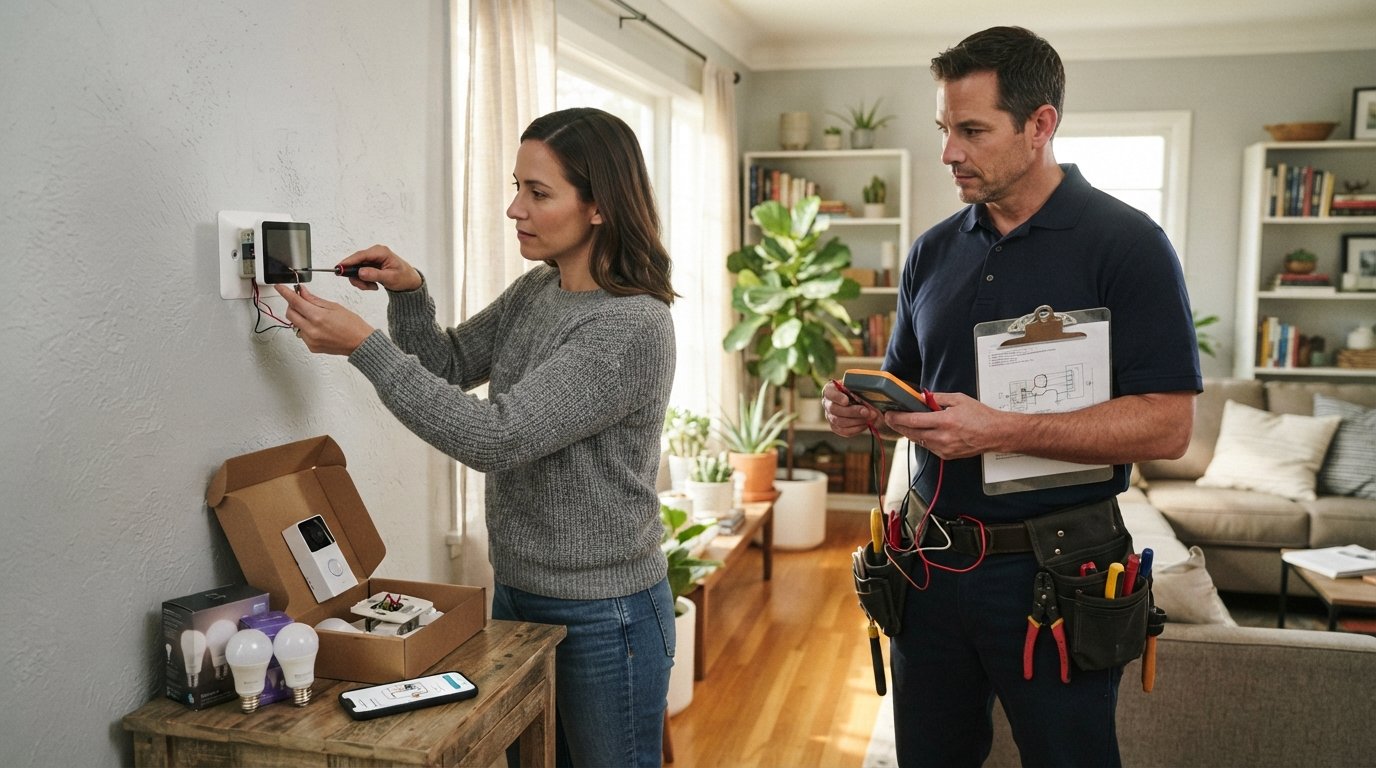
You have just unboxed a smart thermostat, a video doorbell, and a handful of smart bulbs. The instructions look simple enough, but then you notice the fine print about C-wire requirements and low-voltage wiring codes. Suddenly, the question shifts from which devices to buy to who should install them. That decision, DIY vs professional smart home installation, shapes your total cost, your home's safety, and how well the system actually works six months from now. This guide breaks down which projects you can genuinely handle yourself, when a licensed pro is non-negotiable, and how to compare quotes so you do not overpay for either path.
Which Smart Home Devices Are Realistically DIY-Friendly
Not all smart home upgrades carry the same risk. The dividing line usually comes down to whether the device touches line voltage, requires new wiring, or depends on a stable network backbone. If a gadget plugs into a standard outlet or runs on batteries, you can almost always install it yourself with a screwdriver and a phone.
Devices that fall into the beginner-friendly tier include smart plugs, smart bulbs, smart speakers, video doorbells that run on battery, and most smart locks that replace an existing deadbolt. These products follow a predictable pattern: mount the hardware, download the app, scan a code, and connect to Wi-Fi. A patient homeowner can finish most of these in under an hour each.
The middle tier covers devices that are still DIY-possible but demand more planning. Smart thermostats, wired video doorbells, and in-wall smart switches often need a neutral wire or a C-wire. If your home was built in the last thirty years, the wiring is probably there. If not, you are looking at a small electrical project rather than a simple swap. In those cases, weigh the cost of a pro against the risk of a miswired circuit.
If you have painted your own walls and handled minor repairs before, you already understand the mindset that makes DIY smart home work succeed: read twice, cut once, and test before you close up the wall. The same discipline applies here. For a broader look at where DIY stops making sense, our guide on DIY vs professional interior painting walks through similar tradeoffs between saving money and protecting your home.
When Wiring, Networking, or Panel Work Requires a Licensed Pro
Some smart home projects cross a clear legal and safety line. Anything that involves opening your electrical panel, running new circuits, or modifying high-voltage wiring should be handled by a licensed electrician. That includes hardwired smart switches in older homes, whole-home surge protection tied to smart monitoring, and any device that draws enough power to require a dedicated breaker.
Low-voltage work is a gray zone. Doorbell transformers, network cabling, and in-ceiling speaker wires technically operate below the threshold that most codes regulate, but the work still has to be done correctly. A poorly terminated Ethernet run can degrade your entire network, and a miswired transformer can fry an expensive doorbell. If you are not comfortable tracing wires through an attic or crawlspace, hire someone who is.
Networking is the silent failure point in most smart homes. A single router in a corner bedroom cannot reliably cover a two-story house full of connected devices. Professional integrators often install mesh systems, access points, and dedicated VLANs for smart devices. That level of network design is difficult to replicate with consumer gear and a weekend of trial and error.
There is also the question of insurance and resale. Some policies require licensed work for any permanent electrical modification, and unpermitted wiring can surface during a home inspection. When you hire through a vetted marketplace like Contractor.Homes, you get access to pre-screened local pros who understand local codes and can document their work. That paperwork matters more than most homeowners realize until they try to sell.
Cost and Time Tradeoffs Between DIY and Professional Installation
The financial case for DIY looks obvious at first glance. You skip labor costs, which typically run 40 to 60 percent of a smart home project budget. A single smart thermostat install might cost 100 to 200 dollars in labor, while a full-home integration can run into thousands. On paper, doing it yourself saves real money.
But the true cost comparison has to include time, tools, and mistakes. A DIY doorbell install that takes three hours on a Saturday is a bargain. A DIY smart switch project that requires buying a multimeter, watching six videos, and then calling an electrician anyway is not. The table below shows rough ranges for common projects.
- Smart thermostat: DIY cost 0 to 50 dollars in tools; pro install 100 to 250 dollars.
- Video doorbell (wired): DIY cost 0 to 30 dollars; pro install 80 to 200 dollars.
- Smart switches (per switch): DIY cost 0 to 20 dollars; pro install 75 to 150 dollars each.
- Whole-home network and hub setup: DIY cost 0 to 100 dollars; pro install 500 to 2,500 dollars.
- Full smart home integration: DIY cost varies widely; pro install 3,000 to 15,000 dollars or more.
Time is the other currency. A professional installer can finish in a day what might take you three weekends. If your time is worth 50 dollars an hour and a project takes 20 hours, you have effectively spent 1,000 dollars of your own labor. That math often tilts the decision toward hiring out, especially for larger scopes.
There is also the cost of rework. Smart home devices that are installed incorrectly may work for a week and then fail, or they may work but never integrate properly with the rest of your system. Fixing those problems often costs more than the original professional install would have. When you request free quotes through a platform that connects you with pre-vetted contractors, you can compare those professional prices against your own realistic DIY estimate and make a clear-eyed choice.
How to Vet Smart Home Installers and Compare Quotes
Not every electrician or handyman is a smart home specialist. The best installers understand networking, device ecosystems, and how to troubleshoot when a device drops offline. Vetting starts with verifying credentials and asking the right questions before you sign anything.
Begin by confirming licensing and insurance. In most states, low-voltage and electrical work requires a specific license, and a general liability policy protects you if something goes wrong. Ask for the license number and verify it with your state board. Then ask about experience with your specific devices. An installer who has set up fifty smart thermostats will be faster and more reliable than one who is learning on your dime.
When you compare quotes, look beyond the bottom line. A low bid that excludes programming, network setup, or cleanup is not actually cheaper. Ask each contractor to itemize labor, materials, and any follow-up support. A fair quote should include a walkthrough, a written scope, and a clear timeline.
- List every device you want installed, including model numbers.
- Ask each installer whether they provide network setup and app configuration.
- Confirm whether the quote includes patching drywall or running new wire.
- Request at least three references from similar projects.
- Compare total cost, timeline, and warranty terms side by side.
Once you have quotes in hand, resist the urge to pick the cheapest one immediately. The middle bid often offers the best balance of price and professionalism. And if one contractor is dramatically cheaper than the others, ask why. Sometimes the answer is efficiency, but sometimes it is a missing license or a scope that leaves you holding the bag.
For homeowners who want a faster path, a free quote request through a trusted contractor matching service can surface local pros who already meet basic vetting standards. That saves you the initial screening work and lets you focus on comparing the details that actually matter.
Making the Right Call for Your Home and Budget
The DIY vs professional smart home installation decision is not about pride or penny-pinching. It is about matching the project to your skills, your available time, and your tolerance for risk. Battery-powered devices and app-based gadgets are almost always safe to handle yourself. Anything that touches your electrical panel, requires new wiring, or depends on a robust network is usually better left to a licensed professional.
A hybrid approach often works best. Install the easy devices yourself, then hire a pro for the thermostat, the doorbell transformer, and the network backbone. You save money on the simple parts and protect your home on the complex ones. That balance gives you a smart home that works reliably without draining your budget or your weekends.
Before you buy another device or climb into the attic, get real numbers. Compare what you would spend in time and tools against what a local pro would charge. With free quotes from pre-vetted contractors, that comparison takes minutes instead of weeks, and you can move forward knowing your smart home is built on a safe, solid foundation.
Learn more about Smart Home Installation or Repair for guides, costs, and what to expect.
Compare Smart Home Installation or Repair Pros Near You
Enter your ZIP code to compare top-rated local professionals and request free quotes.